Remote Processing for Sitecore Forms Submit Actions
Posted 11 May 2026 by Marek Musielak
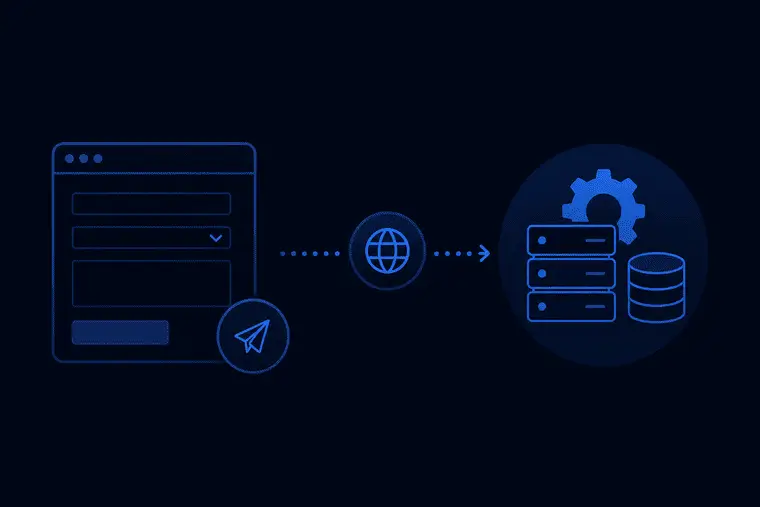
Recently, I needed to trigger a Sitecore Forms submit action on the Sitecore Content Delivery server but handle its execution on Sitecore Content Management server. In my case, this was due to network constraints - it wasn't possible to reach another required service directly from the Content Delivery servers. To achieve that, I used Sitecore Remote Event functionality. If you find yourself in a similar situation — whether because your action requires access to the Sitecore master database, depends on network connectivity that isn't available from CD, or is CPU-intensive and you want to avoid putting load on the CD servers — I'll explain how you can set this up.
I wrote this blog post while working for Blastic, a company that delivers great Sitecore solutions and much more.
The first thing we need is a custom Sitecore Forms submit action class. The logic is straightforward — we create an instance of the RemoteFormActionEvent class and add it to the context database EventQueue:
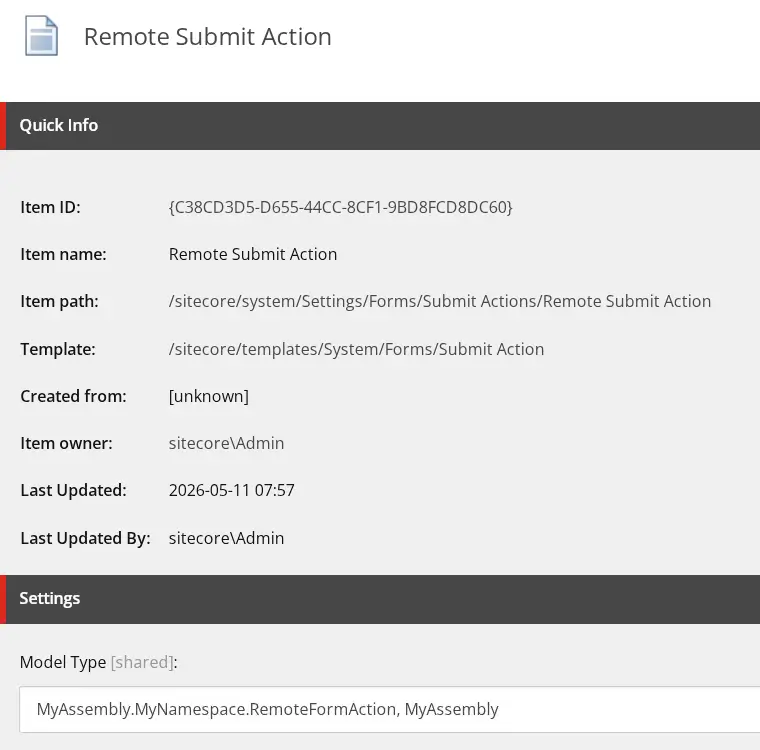
using Newtonsoft.Json;
using Sitecore;
using Sitecore.ExperienceForms.Models;
using Sitecore.ExperienceForms.Processing;
using Sitecore.ExperienceForms.Processing.Actions;

namespace MyAssembly.MyNamespace
{
    public class RemoteFormAction : SubmitActionBase<object>
    {
        public RemoteFormAction(ISubmitActionData submitActionData) : base(submitActionData)
        {
        }

        protected override bool Execute(object data, FormSubmitContext formSubmitContext)
        {
            var remoteEvent = new RemoteFormActionEvent(Sitecore.Configuration.Settings.InstanceName, "form:remoteaction")
            {
                FormSubmitContext = new LimitedFormSubmitContext(formSubmitContext),
                Data = data
            };

            Context.Database.RemoteEvents.EventQueue.QueueEvent(remoteEvent);

            return true;
        }

        protected override bool TryParse(string value, out object target)
        {
            target = JsonConvert.DeserializeObject(value);
            return true;
        }
    }
}
We can't easily serialize and deserialize objects of the Sitecore.ExperienceForms.Processing.FormSubmitContext class, so instead we use a custom LimitedFormSubmitContext class:
using System;
using System.Collections.Generic;
using System.Linq;
using Sitecore.ExperienceForms.Models;
using Sitecore.ExperienceForms.Processing;

namespace MyAssembly.MyNamespace
{
    public class LimitedFormSubmitContext
    {
        public LimitedFormSubmitContext()
        {
        }

        public LimitedFormSubmitContext(FormSubmitContext context)
        {
            FormId = context.FormId;
            PageId = context.PageId;
            Fields = context.Fields;
            Errors = context.Errors;
            Canceled = context.Canceled;
        }

        public Guid FormId { get; set; }

        public Guid PageId { get; set; }

        public IList<IViewModel> Fields { get; set; } = new List<IViewModel>();

        public IList<FormActionError> Errors { get; set; } = new List<FormActionError>();

        public bool HasErrors => Errors.Any();

        public bool Canceled { get; set; }
    }
}
Our RemoteFormActionEvent, which implements the IHasEventName interface, includes additional properties for the FormSubmitContext and Data objects. Both are serialized using TypeNameHandling.All, allowing them to be correctly deserialized back into their original types—for example, the context Fields property of type IList<IViewModel>:
using Newtonsoft.Json;
using Sitecore.Eventing;
using System.Runtime.Serialization;

namespace MyAssembly.MyNamespace
{
    [DataContract]
    internal class RemoteFormActionEvent : IHasEventName
    {
        private static JsonSerializerSettings _settings;

        private static JsonSerializerSettings Settings => _settings
            ?? (_settings = new JsonSerializerSettings
            {
                TypeNameHandling = TypeNameHandling.All
            });

        public RemoteFormActionEvent(string instanceName, string eventName)
        {
            InstanceName = instanceName;
            EventName = eventName;
        }

        [DataMember]
        public string InstanceName { get; protected set; }

        [DataMember]
        public string EventName { get; protected set; }

        [IgnoreDataMember]
        public LimitedFormSubmitContext FormSubmitContext { get; set; }

        [IgnoreDataMember]
        public object Data { get; set; }

        [DataMember]
        public string FormSubmitContextJson
        {
            get => FormSubmitContext == null ? null : JsonConvert.SerializeObject(FormSubmitContext, Settings);
            set
            {
                if (!string.IsNullOrEmpty(value))
                {
                    FormSubmitContext = JsonConvert.DeserializeObject<LimitedFormSubmitContext>(value, Settings);
                }
            }
        }

        [DataMember]
        public string DataJson
        {
            get => Data == null ? null : JsonConvert.SerializeObject(Data, Settings);
            set
            {
                if (!string.IsNullOrEmpty(value))
                {
                    Data = JsonConvert.DeserializeObject<object>(value, Settings);
                }
            }
        }
    }
}
Next thing we need is an Initialize pipeline processor that subscribes to our RemoteFormActionEvent:
using Sitecore.Data.Events;
using Sitecore.Eventing;
using Sitecore.Events;
using Sitecore.Pipelines;

namespace MyAssembly.MyNamespace
{
    public class SubscribeToExecuteFormRemoteActionEvent
    {
        public void Initialize(PipelineArgs args)
        {
            EventManager.Subscribe<RemoteFormActionEvent>(OnRemoteEvent);
        }

        private static void OnRemoteEvent<TEvent>(TEvent @event) where TEvent : IHasEventName
        {
            var remoteEventArgs = new RemoteEventArgs<TEvent>(@event);
            Event.RaiseEvent(@event.EventName, remoteEventArgs);
        }
    }
}
The final part of the code is a RemoteFormActionEventHandler, which processes the data on the Sitecore Content Management server. You can do whatever you need with the form data here. In my case, I simply write the information to the log file to ensure that the correct instance is executing the code and that all necessary data has been successfully transferred from the Sitecore Content Delivery server:
using System;
using Newtonsoft.Json;
using Sitecore.Data.Events;
using Sitecore.Diagnostics;

namespace MyAssembly.MyNamespace
{
    public class RemoteFormActionEventHandler
    {
        public void HandleRemote(object sender, EventArgs args)
        {
            var eventArgs = args as RemoteEventArgs<RemoteFormActionEvent>;
            if (eventArgs == null)
                return;

            ExecuteAction(eventArgs.Event.Data, eventArgs.Event.FormSubmitContext);
        }

        private void ExecuteAction(object data, LimitedFormSubmitContext formSubmitContext)
        {
            Log.Info($"HandleRemote called on '{Sitecore.Configuration.Settings.InstanceName}'" +
                     $" with data '{JsonConvert.SerializeObject(data)}' " +
                     $"and context '{JsonConvert.SerializeObject(formSubmitContext)}'", this);
        }
    }
}
The last part is the configuration. We register an event and processor on Sitecore Content Management server:
<configuration xmlns:role="http://www.sitecore.net/xmlconfig/role/">
  <sitecore role:require="ContentManagement">
      <events>
          <event name="form:remoteaction">
              <handler type="MyAssembly.MyNamespace.RemoteFormActionEventHandler, MyAssembly" method="HandleRemote" />
          </event>
      </events>
      <pipelines>
          <initialize>
              <processor
                  type="MyAssembly.MyNamespace.SubscribeToExecuteFormRemoteActionEvent, MyAssembly" method="Initialize" />
          </initialize>
      </pipelines>
  </sitecore>
</configuration>
This approach allows Sitecore Forms submit actions to be executed on the Content Management server instead of Content Delivery. It is useful when CD servers cannot access required services or when workload should be offloaded from CD instances.