Sitecore Forms antivirus protection
Posted 6 Apr 2026 by Marek Musielak

Some time ago, I wrote a blog post explaining how to protect the Sitecore Media Library with antivirus software. However, the Sitecore Media Library is only accessible to content authors, while Sitecore Forms file uploads are unrestricted, and anyone can try to upload a malicious file to your system. This article describes all the steps necessary to validate files uploaded via Sitecore Forms before they are stored in your system.
I wrote this blog post while working for Blastic, a company that delivers great Sitecore solutions and much more.
Note: The installation and configuration of the ClamAV antivirus, together with the implementation of IAntivirusService, are described in the blog post Protect Sitecore Media Library with ClamAV antivirus.
If you've already installed ClamAV and registered IAntivirusService in your solution, the next step is to create a Sitecore Forms validator that ensures malicious files are not saved to the database or processed further. First, let's create a class:
public class AntivirusValidator : ValidationElement<string>
{
    private IAntivirusService _antivirusService;

    protected virtual IAntivirusService AntivirusService => _antivirusService
        ?? (_antivirusService = ServiceLocator.ServiceProvider.GetService<IAntivirusService>());

    public AntivirusValidator(ValidationDataModel validationItem) : base(validationItem)
    {
    }

    public override IEnumerable<ModelClientValidationRule> ClientValidationRules => new List<ModelClientValidationRule>();

    public override ValidationResult Validate(object value)
    {
        if (!(value is List<HttpPostedFileBase> httpPostedFileBaseList) || !httpPostedFileBaseList.Any())
            return ValidationResult.Success;

        foreach (var postedFile in httpPostedFileBaseList)
        {
            if (!AntivirusService.IsFileSafe(postedFile.InputStream, postedFile.FileName))
            {
                return new ValidationResult(FormatMessage(postedFile.FileName));
            }
        }

        return ValidationResult.Success;
    }
}
This class iterates over all files uploaded to a Sitecore Forms field and returns an error if any of them is unsafe.
Now we can create a validator item under the /sitecore/system/Settings/Forms/Validations/Antivirus Validator node using:
Type: MyAssembly.MyNamespace.AntivirusValidator, MyAssembly
Message: We cannot process the file '{0}'. Please try again or use a different file.
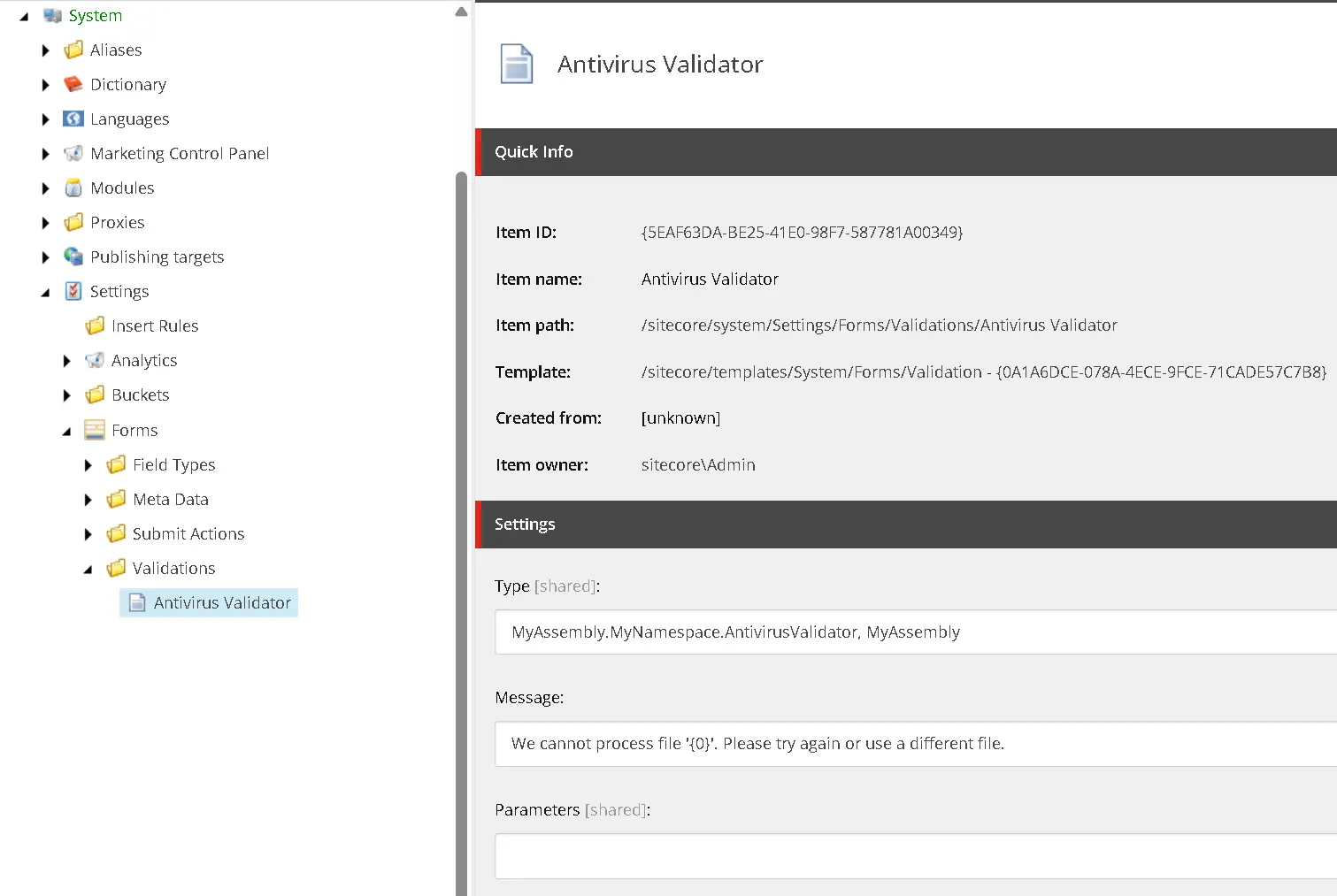
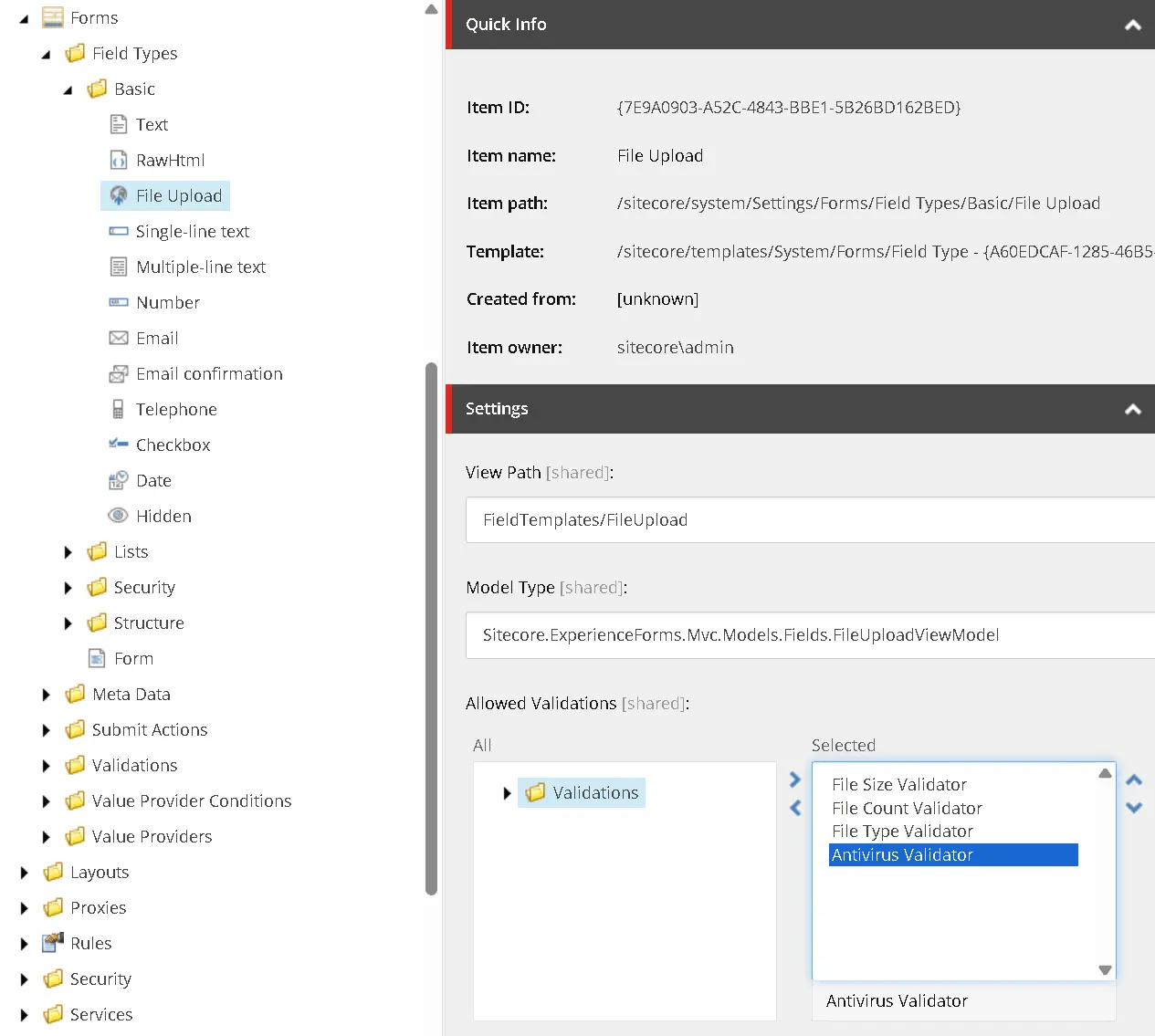
Next, select your new validator in Allowed Validations field of /sitecore/system/Settings/Forms/Field Types/Basic/File Upload item:
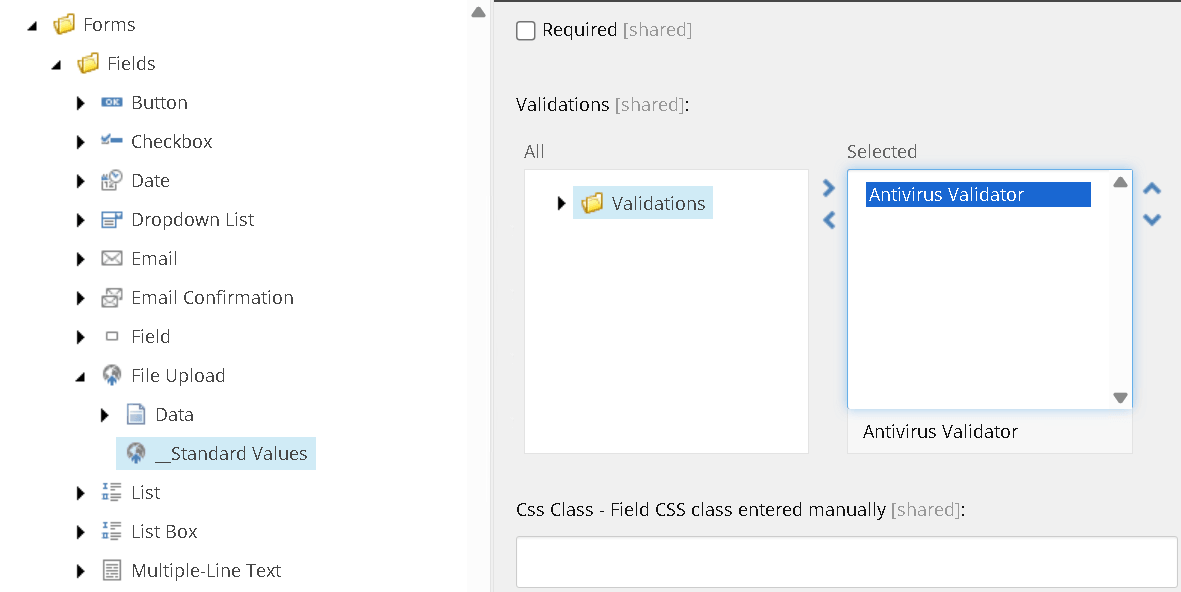
Finally, if you want validation to be added automatically to every Sitecore Forms File Upload field, select that validator on sthe tandard values item /sitecore/templates/System/Forms/Fields/File Upload/__Standard Values:
And that's it. Now, every time someone tries to upload a file to a Sitecore Form, it will be scanned by an antivirus service to ensure no harmful files enter your system..