Triggering PowerShell Scripts from a Sitecore Forms Submit Action
Posted 11 June 2026 by Marek Musielak
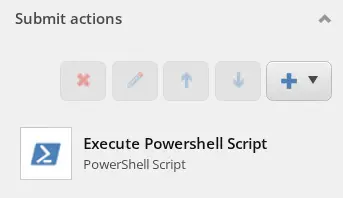
What if you could execute code as a Sitecore Forms Submit Action without deploying anything to the servers? Ad hoc, any code. In the Sitecore world, the first word that comes to mind is probably "PowerShell" — and you'd be right. But there is no (or at least there shouldn't be) Sitecore PowerShell Extensions installed on Content Delivery servers. So why not run it on Content Management instead?
I wrote this blog post while working for Blastic, a company that delivers great Sitecore solutions and much more.
First thing is the code of the Sitecore Forms Submit Action itself. A simple one that creates a remote event object, passes FormSubmitContext together with parameters which contain the ID of the script into that event object, and then queues the event in the current database EventQueue.
using System;
using Sitecore;
using Sitecore.Diagnostics;
using Sitecore.ExperienceForms.Models;
using Sitecore.ExperienceForms.Processing;
using Sitecore.ExperienceForms.Processing.Actions;

namespace MyAssembly.MyNamespace
{
    public class ExecuteScriptAction : SubmitActionBase<ExecuteScriptActionParameters>
    {
        public ExecuteScriptAction(ISubmitActionData submitActionData) : base(submitActionData)
        {
        }

        protected override bool Execute(ExecuteScriptActionParameters parameters, FormSubmitContext formSubmitContext)
        {
            try
            {
                var @event = new ExecuteScriptRemoteEvent(Sitecore.Configuration.Settings.InstanceName, "custom:executescriptremote");
                @event.FormSubmitContext = new LimitedFormSubmitContext(formSubmitContext);
                @event.Data = parameters;
                (Context.ContentDatabase ?? Context.Database).RemoteEvents.EventQueue.QueueEvent(@event);
            }
            catch (Exception exc)
            {
                Log.Error("Exception in ExecuteScriptAction", exc, this);
                return false;
            }

            return true;
        }
    }
}
The code of ExecuteScriptRemoteEvent, LimitedFormSubmitContext and ExecuteScriptActionParameters is very simple. The important part is how we serialize them using Newtonsoft.Json and TypeNameHandling.All. We need it to make sure that field view model objects can be deserialized using the right classes.
using System;
using System.Collections.Generic;
using System.Linq;
using Sitecore.ExperienceForms.Models;
using Sitecore.ExperienceForms.Processing;

namespace MyAssembly.MyNamespace
{
    public class LimitedFormSubmitContext
    {
        public LimitedFormSubmitContext()
        {
        }

        public LimitedFormSubmitContext(FormSubmitContext context)
        {
            FormId = context.FormId;
            PageId = context.PageId;
            Fields = context.Fields;
            Errors = context.Errors;
            Canceled = context.Canceled;
        }

        public Guid FormId { get; set; }

        public Guid PageId { get; set; }

        public IList<IViewModel> Fields { get; set; } = new List<IViewModel>();

        public IList<FormActionError> Errors { get; set; } = new List<FormActionError>();

        public bool HasErrors => Errors.Any();

        public bool Canceled { get; set; }
    }
}
using System;

namespace MyAssembly.MyNamespace
{
    public class ExecuteScriptActionParameters
    {
        public Guid ReferenceId { get; set; }
    }
}
using Newtonsoft.Json;
using Sitecore.Eventing;
using System.Runtime.Serialization;

namespace MyAssembly.MyNamespace
{
    [DataContract]
    internal class ExecuteScriptRemoteEvent : IHasEventName
    {
        private static JsonSerializerSettings _settings;

        private static JsonSerializerSettings Settings => _settings
            ?? (_settings = new JsonSerializerSettings
            {
                TypeNameHandling = TypeNameHandling.All
            });

        public ExecuteScriptRemoteEvent(string instanceName, string eventName)
        {
            InstanceName = instanceName;
            EventName = eventName;
        }

        [DataMember]
        public string InstanceName { get; protected set; }

        [DataMember]
        public string EventName { get; protected set; }

        [IgnoreDataMember]
        public LimitedFormSubmitContext FormSubmitContext { get; set; }

        [IgnoreDataMember]
        public ExecuteScriptActionParameters Data { get; set; }

        [DataMember]
        public string FormSubmitContextJson
        {
            get => FormSubmitContext == null ? null : JsonConvert.SerializeObject(FormSubmitContext, Settings);
            set
            {
                if (!string.IsNullOrEmpty(value))
                {
                    FormSubmitContext = JsonConvert.DeserializeObject<LimitedFormSubmitContext>(value, Settings);
                }
            }
        }

        [DataMember]
        public string DataJson
        {
            get => Data == null ? null : JsonConvert.SerializeObject(Data, Settings);
            set
            {
                if (!string.IsNullOrEmpty(value))
                {
                    Data = JsonConvert.DeserializeObject<ExecuteScriptActionParameters>(value, Settings);
                }
            }
        }
    }
}
The last piece of code is a Sitecore <initialize> pipeline processor which subscribes to the ExecuteScriptRemoteEvent, gets the script item from the Sitecore "master" database and executes the script:
using Sitecore.Data;
using Sitecore.Eventing;
using Sitecore.Pipelines;
using Spe.Core.Host;
using Spe.Core.Settings;
using Sitecore.Data.Items;

namespace MyAssembly.MyNamespace
{
    public class SubscribeToExecuteScriptRemoteEvent
    {
        public void Initialize(PipelineArgs args)
        {
            EventManager.Subscribe<ExecuteScriptRemoteEvent>(OnRemoteEvent);
        }

        private static void OnRemoteEvent<TEvent>(TEvent tEvent) where TEvent : IHasEventName
        {
            var @event = tEvent as ExecuteScriptRemoteEvent;
            if (@event == null)
                return;

            Item scriptItem = Database.GetDatabase("master").GetItem(ID.Parse(@event.Data.ReferenceId));

            if (scriptItem == null) return;

            using (var session = ScriptSessionManager.NewSession(ApplicationNames.Default, true))
            {
                session.SetVariable("formSubmitContext", @event.FormSubmitContext);
                session.ExecuteScriptPart(scriptItem, false);
            }
        }
    }
}
When we already have all the code, we need to register the SubscribeToExecuteScriptRemoteEvent processor in a Sitecore config patch file:
<configuration xmlns:role="http://www.sitecore.net/xmlconfig/role/">
  <sitecore role:require="ContentManagement">
    <pipelines>
      <initialize>
        <processor
          type="MyAssembly.MyNamespace.SubscribeToExecuteScriptRemoteEvent, MyAssembly"
          method="Initialize" />
      </initialize>
    </pipelines>
  </sitecore>
</configuration>
Now we can define things in Sitecore. Log in to the Sitecore core database and duplicate the
/sitecore/client/Applications/FormsBuilder/Components/Layouts/Actions/RedirectToPage
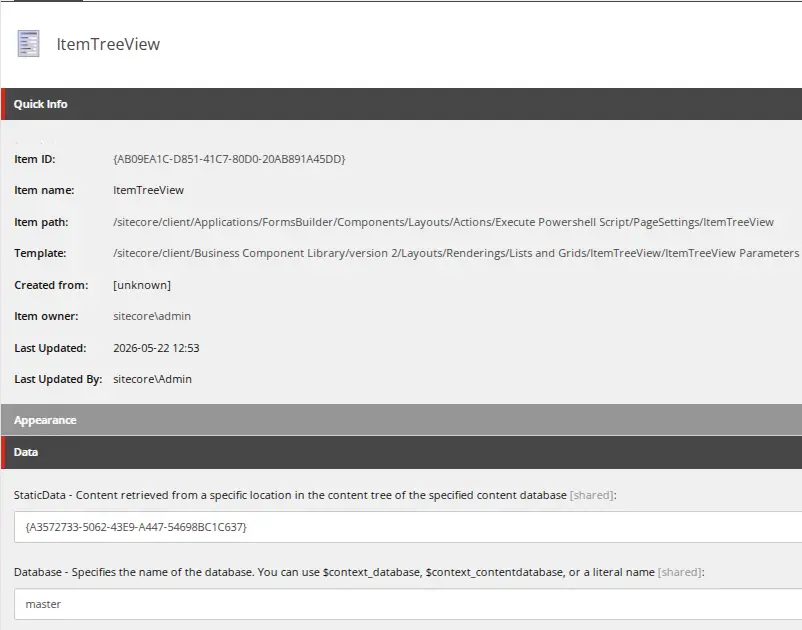
item with subitems, calling the new item Execute PowerShell Script. Update the text on the new item and its subitems. On the /sitecore/client/Applications/FormsBuilder/Components/Layouts/Actions/Execute PowerShell Script/PageSettings/ItemTreeView item, set the Database field to master and the raw value of the Static Data field to {A3572733-5062-43E9-A447-54698BC1C637}, to limit the item selection to the /sitecore/system/Modules/PowerShell/Script Library part of the tree:
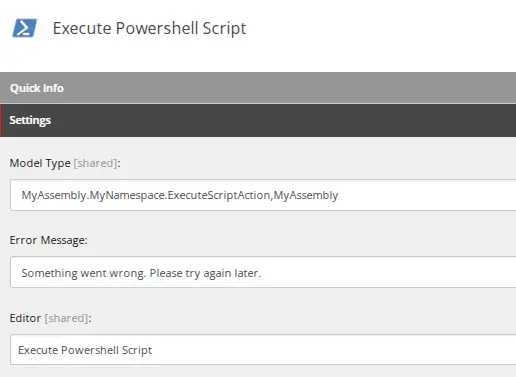
Now switch back to the Sitecore master database and create a new Submit Action item: /sitecore/system/Settings/Forms/Submit Actions/Execute PowerShell Script. Enter the class details and choose the editor created in the core database.
Create a new PowerShell Script item under /sitecore/system/Modules/PowerShell/Script Library and enter its code. You can use $formSubmitContext to access the user's form input, e.g.:
Write-Log ($formSubmitContext | ConvertTo-Json )
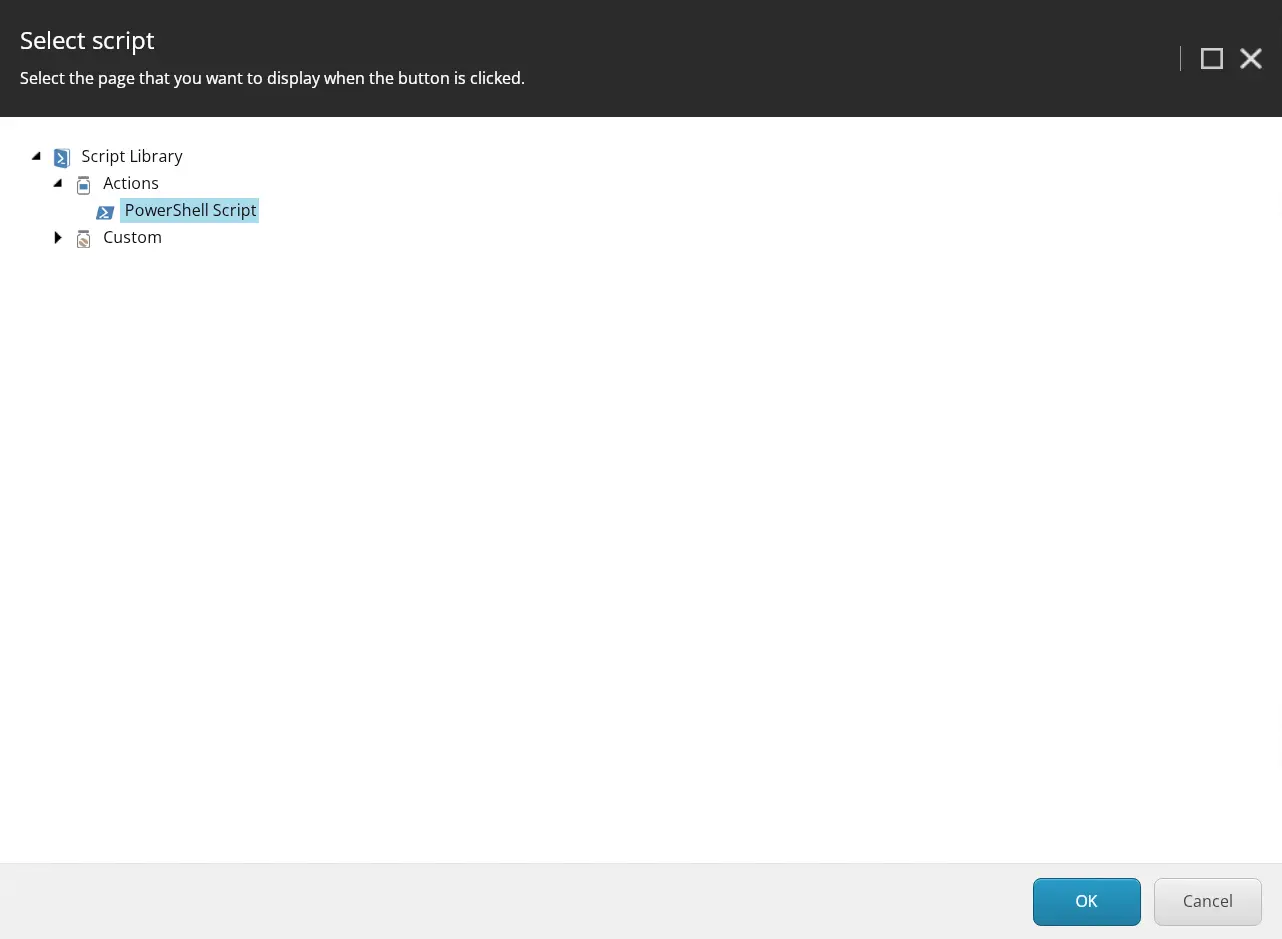
And voilà, you can now use the new action on any form. Just add the new action to the form and select the desired script in the action editor:
That's all it takes — a custom Submit Action, a remote event, and a PowerShell script item. No deployment needed every time you want to change the logic.